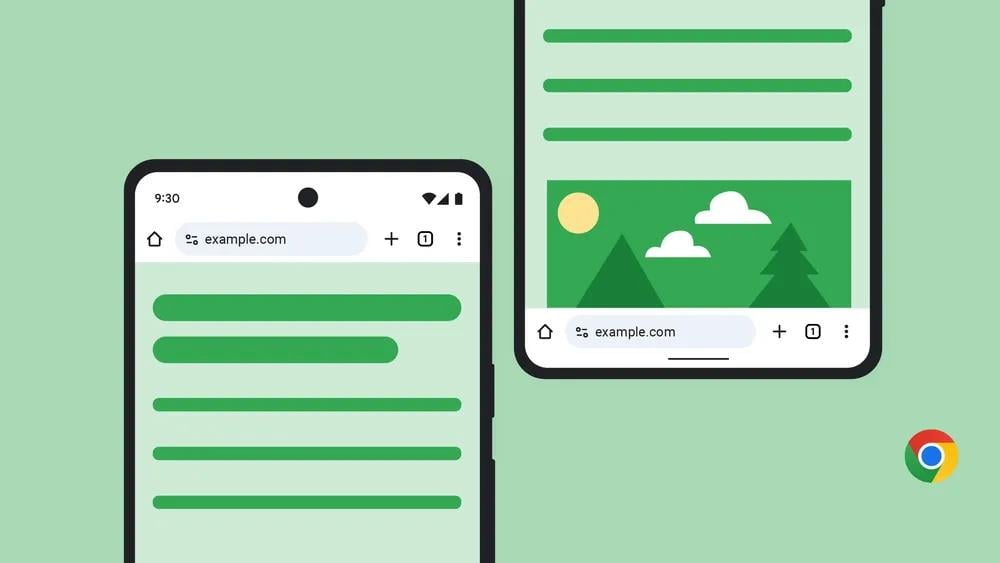
Google Chrome on Android now lets you move the address bar to the bottom of the screen. It's about time.
Having an address bar at the bottom of the screen makes it easier for you to reach, and type with your thumb, as opposed to reaching the top of the screen. It might be particularly difficult to use the address bar at the top, on large screen phones, and foldable devices.
Anyway, according to Google, the feature is rolling out to users slowly and will reach all users in a couple of weeks, so don't be surprised if you have updated Chrome and still can't find the option. Or, you could edit a flag and try it right now.
1. Open chrome://flags.
2. Search for #android-bottom-toolbar
3. Change its value to enabled.
4. Restart the browser.
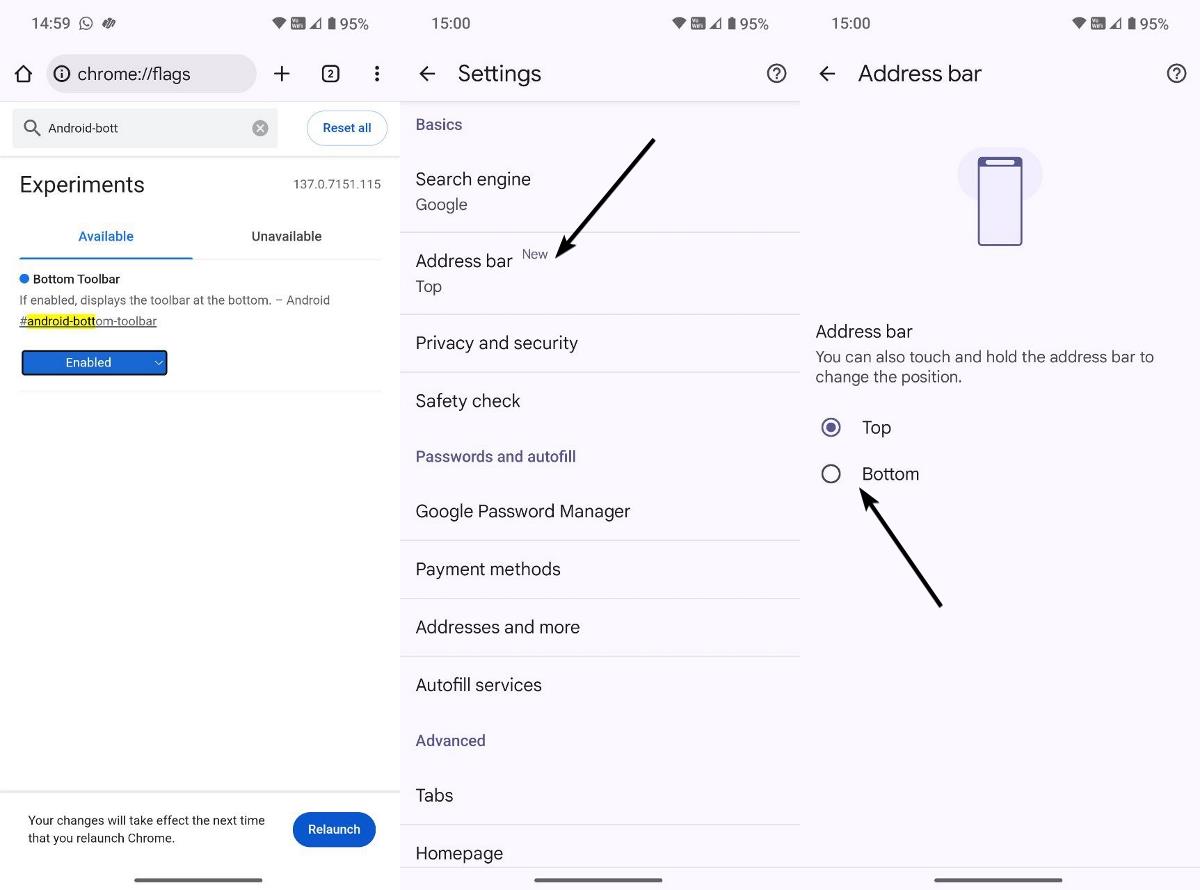
Now you should be able to access the option. This method works in the latest version of Chrome (stable).
How to move the address bar to the bottom in Chrome for Android
1. Open Chrome > Settings.
2. Tap on the Address Bar.
3. Select Bottom.
There's a faster way to do this. Long press on the address bar and select "Move address bar to bottom". Both methods also work on iOS.
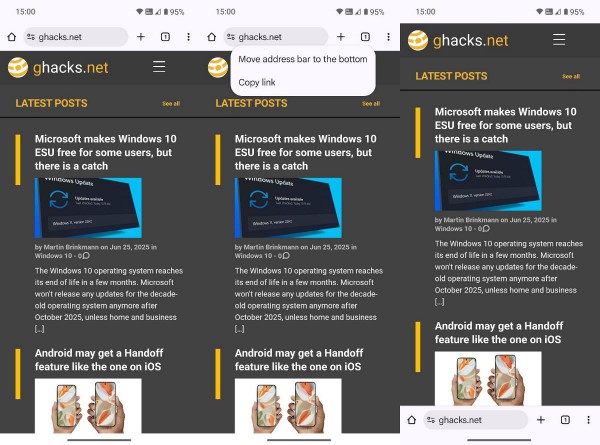
Many people have cracked jokes at how long it has taken Google to add this basic quality-of-life feature. This is a common setting that is available in many browsers. Google Chrome on iOS got the option to move the address bar to the bottom in August 2023. It's a little weird why the Android version of the browser never got the option until now.
There are reports that say the feature is buggy, one user says that changing the default engine, and then opening a new tab puts the address bar back at the top. Tab swiping is also "janky", as in it's not smooth. But according to a developer, these are intended behavior. Google is working on fixing these issues.
Which option do you prefer to use?